Is Your Phone Always Slow? A Step-by-Step Troubleshooting Guide
Performance issues can make daily use of your phone frustrating and slow down even the simplest tasks. Apps take longer to open, scrolling feels delayed, and switching between tasks becomes tedious. Many users immediately assume a new device is needed, but most slowdowns are caused by software clutter, background processes, or battery-related performance limitations. By carefully examining what is affecting your phone's speed, you can often restore smooth operation without spending money on a replacement. In this article, you will find practical step-by-step solutions to help you understand and fix a slow phone in everyday life.

Step 1: The 5-Minute Quick Cleanup
Close Unused Apps and Restart
Apps that remain open in the background consume memory and processing power and can significantly slow down your phone. Force-closing these apps frees up RAM and makes resources available for the tasks you currently need. A subsequent restart refreshes system processes and clears temporary caches. Performing this simple measure regularly prevents minor slowdowns from becoming larger performance issues. Many users notice a noticeable improvement after just a few minutes.
Check Storage and Delete Obvious Junk
Too little free storage can affect system performance and cause apps to load more slowly. Check your storage to identify large files, duplicate media, and unused apps. Deleting unnecessary content creates space and relieves the operating system. Regularly organizing your files keeps your phone running smoothly. Even small storage gains can significantly improve responsiveness.
Step 2: Deep Software Optimization
Update Operating System and Apps
Outdated software is a common cause of slow performance. System updates often include bug fixes, security patches, and performance improvements. App updates also ensure that applications run stably and remain compatible with the system. Ignoring updates risks conflicts and reduced responsiveness. Regular updates are one of the easiest ways to keep your phone fast and reliable.
Check and Limit Background Processes
Apps running in the background can continuously consume CPU, RAM, and data, gradually slowing down your phone. Check which apps are active and limit their background activity. Most smartphones offer options to restrict background data or automatically close inactive apps. By prioritizing important apps and limiting unnecessary ones, resources are used efficiently. This keeps your device responsive even during intensive use.
Step 3: Investigate Battery and Heat Issues
Check Battery Health for Performance Throttling
A worn-out battery can throttle performance as the system tries to avoid sudden shutdowns. Many smartphones display battery health, allowing you to compare current capacity to a new battery. Poor battery health makes even simple tasks feel sluggish because the processor receives less power. Keeping an eye on this value allows you to detect performance issues early. Replacing the battery or managing a weak battery consciously can often restore responsiveness.
Identify Apps or Habits That Cause Overheating
Excessive heat can temporarily reduce your phone's performance to protect the hardware. Performance-intensive apps such as games or streaming services increase CPU load and therefore temperature. Avoid direct sunlight and heavy usage while charging. Cases with good heat dissipation and short breaks during intensive use also help. Good thermal management ensures consistent speed and a longer lifespan for your device.
Step 4: The Nuclear Option and Hardware Check
When and How to Perform a Factory Reset
If software cleanup and battery management bring no improvement, a factory reset can restore original performance. Make sure to back up your important data beforehand. A reset removes data clutter, faulty settings, and app conflicts. Afterwards, install only the apps you truly need to keep the system lean. A significant speed improvement in everyday use is often noticeable afterwards.
Signs of a Faulty Processor or Memory
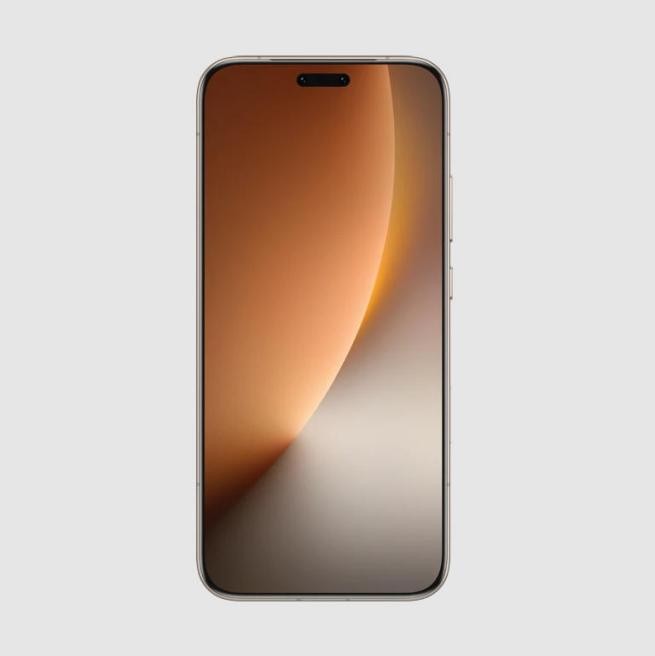
If your phone remains slow despite all measures, hardware issues such as a faulty processor or worn-out memory may be the cause. Typical signs include frequent app crashes, delays even after a restart, and unusually slow read or write operations. In such cases, a professional diagnosis is advisable. For many, a modern, reliable device is then the better solution. Models such as the HONOR Magic 8 Pro Germany offer strong batteries and smooth performance at fair costs and are a solid choice when a hardware upgrade is necessary.
Conclusion
A slow phone can disrupt your daily life, but with regular maintenance, software optimization, and attention to hardware, most performance issues can be resolved. By removing unused apps, managing storage, keeping software up to date, and monitoring battery health, you can avoid typical slowdowns. Identifying apps or habits that cause overheating also contributes to stable performance. Knowing when professional help or a replacement is appropriate keeps your phone reliable in daily use. By following these steps, you can restore your phone's speed and extend its lifespan without unnecessary stress or costs.
This article was created in collaboration with a sponsor.
Comments 0
Write new comment: